
How to block ads on iPhone in 2026
Written and tested by Bill Ailish
Short answer
To block ads in Safari, turn on a content blocker in Settings › Apps › Safari › Extensions; United VPN includes one for free. To block ads in other apps too, you need a DNS-level blocker, such as Block in All Apps in United VPN Premium.
Method 1: Block ads in Safari (free)
Safari supports content blockers: apps give Safari a list of rules, and Safari applies them on its own, without sharing your history. United VPN includes seven of them, built on EasyList and EasyPrivacy.
- 1Install United VPN from the App Store.
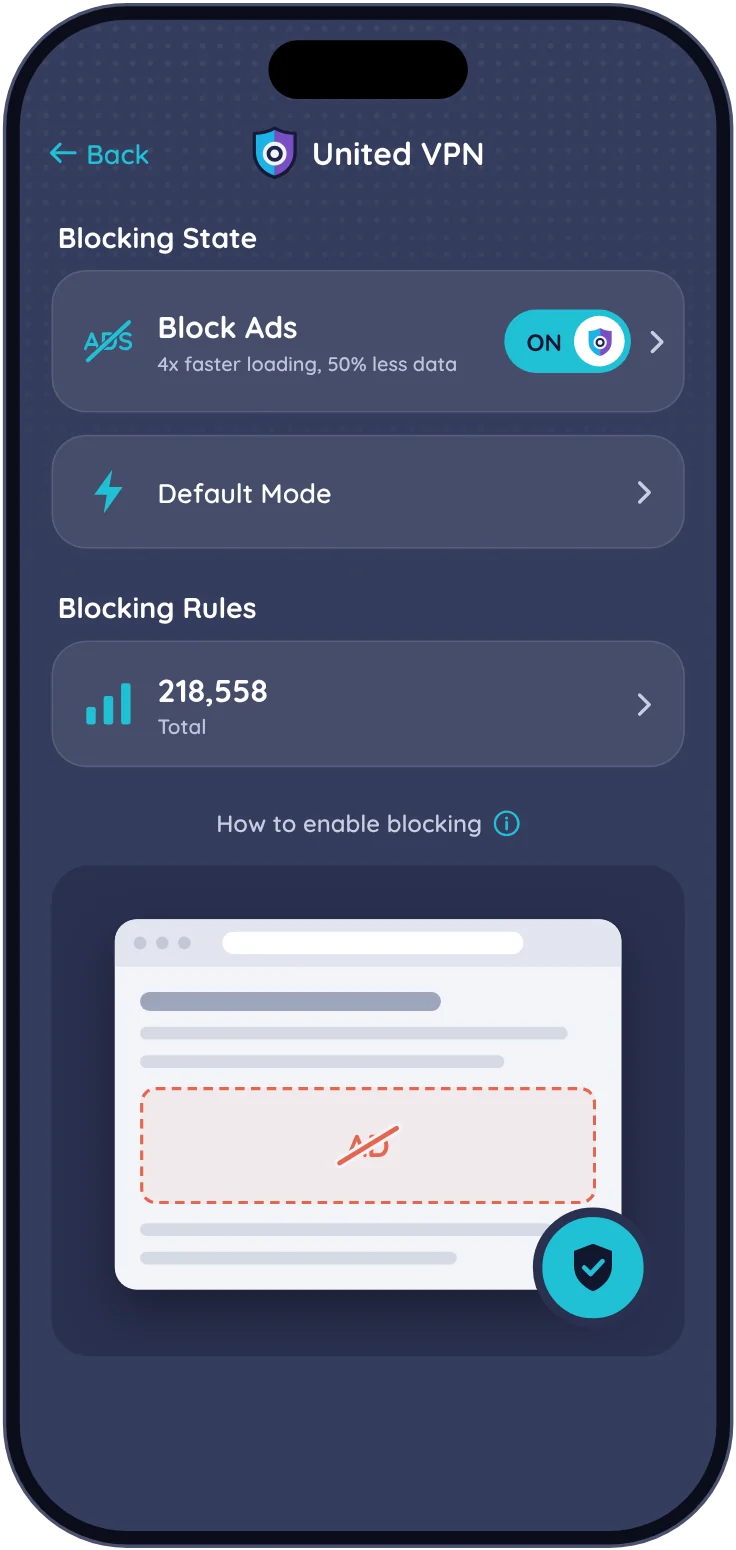
- 2Open the app, tap Block Ads and turn on the main switch. Add Extra Filters for cookie banners, social buttons and pop-ups if you want.
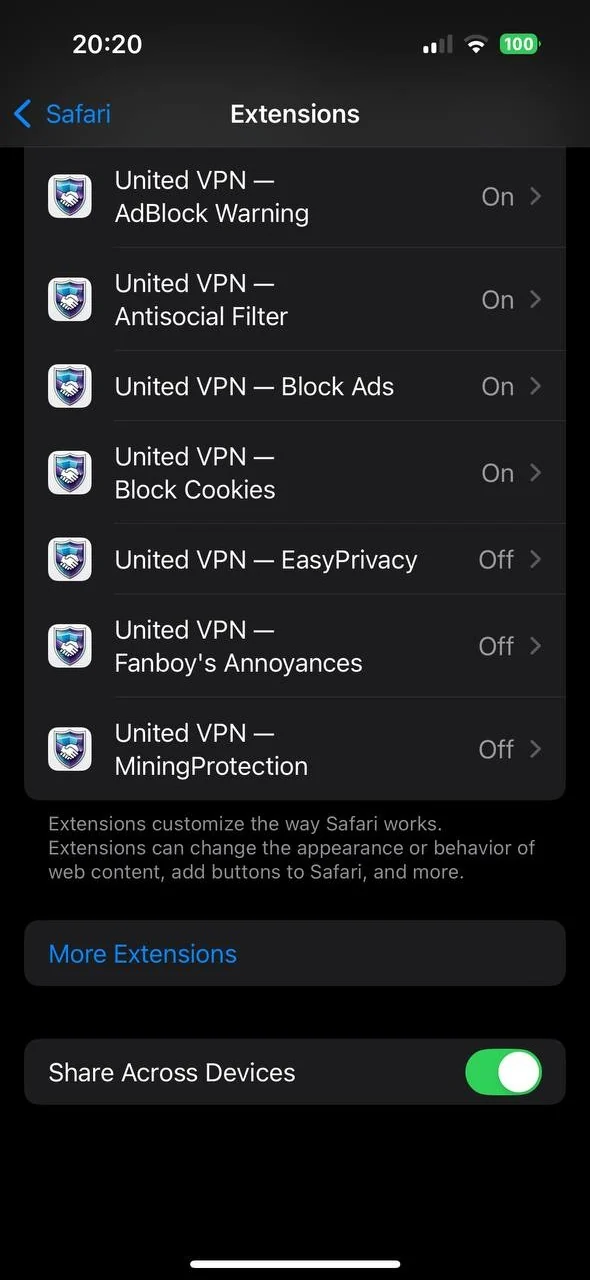
- 3Open Settings › Apps › Safari › Extensions and turn on the United VPN blockers: Block Ads, EasyPrivacy, AdBlock Warning, MiningProtection, Block Cookies, Antisocial Filter and Fanboy’s Annoyances. On iOS 17 and earlier it’s Settings › Safari › Extensions; on iOS 26.2 and later the app opens this screen for you.
- 4Reload the page you had open.
Method 2: Block ads in all apps (Premium)
Block in All Apps checks every DNS lookup on your iPhone against about 33,000 ad and 43,000 tracker domains. Blocked lookups are answered on the phone and never leave it, so it works in Safari, Chrome and other apps, with or without the VPN.
- 1Open United VPN and tap Block Ads.
- 2Turn on Block in All Apps. It’s part of Premium, with a 3-day free trial.
- 3Tap Allow if iOS asks to add a VPN configuration.
- 4Open an app or a website that shows ads. Blocked domains show up in Recently Blocked, where you can allow any of them in one tap.
Which method should you use?
If you only browse in Safari, the free blocker is enough. If ads bother you in apps too, turn on Block in All Apps.
| Safari blocker (free) | Block in All Apps (Premium) | |
|---|---|---|
| Blocks ads in Safari | Yes | Yes |
| Blocks ads in other apps and browsers | No | Yes |
| Hides cookie banners and pop-ups | With Extra Filters | No |
| Removes YouTube video ads | No | No |
| Where filtering happens | Inside Safari | On your iPhone, at the DNS level |
| Uses the iPhone’s VPN slot | No | Yes, and it also runs inside United VPN |
| Price | Free | $2.99 a week or $49.99 a year, 3-day free trial |