
Skip to content
United VPN
EN Get the app

For iPhone, iPad and Android

Secure VPN with a built-in ad blocker

United VPN is a VPN for iPhone, iPad and Android with a built-in ad blocker, family DNS filters and a speed test. Free servers in 5 countries, 120+ countries with Premium.
  • Free download
  • No account or sign-up
  • OpenVPN with AES-256-GCM
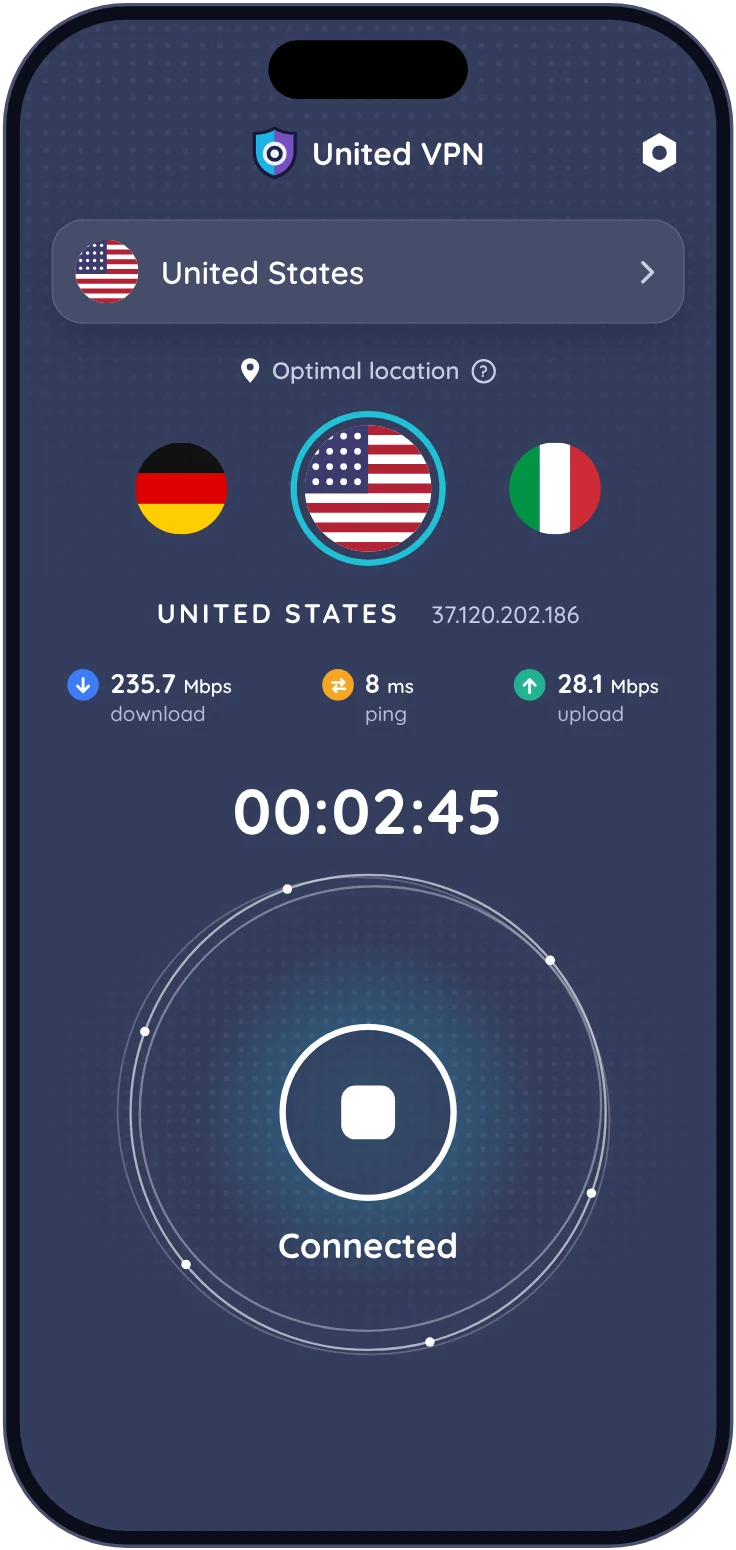
United VPN ad blocker screen on iPhone United VPN connected to a server in the United States on iPhone

What it does

VPN, ad blocker and DNS changer in one app

Most features are free. Premium removes ads and adds servers in 120+ countries, ad blocking in all apps and every DNS profile.

Free + Premium

VPN in 120+ countries

OpenVPN with AES-256-GCM. Optimal Location picks the fastest free server; switch between UDP (Fast) and TCP (Safe).

Download the app
Free

Ad blocker for Safari

Blocks ads, trackers, crypto-mining scripts and “disable your ad blocker” walls in Safari. Optional filters hide cookie banners and pop-ups.

About the ad blocker
Premium

Block ads in all apps

Filters about 33,000 ad and 43,000 tracker domains in every app and browser, right on your iPhone, with or without the VPN.

How it works
Free

Parental controls

Child Control switches on AdGuard DNS Family Protection, which blocks adult sites on the whole phone. One switch, no account.

Set up Child Control
Free + Premium

DNS changer

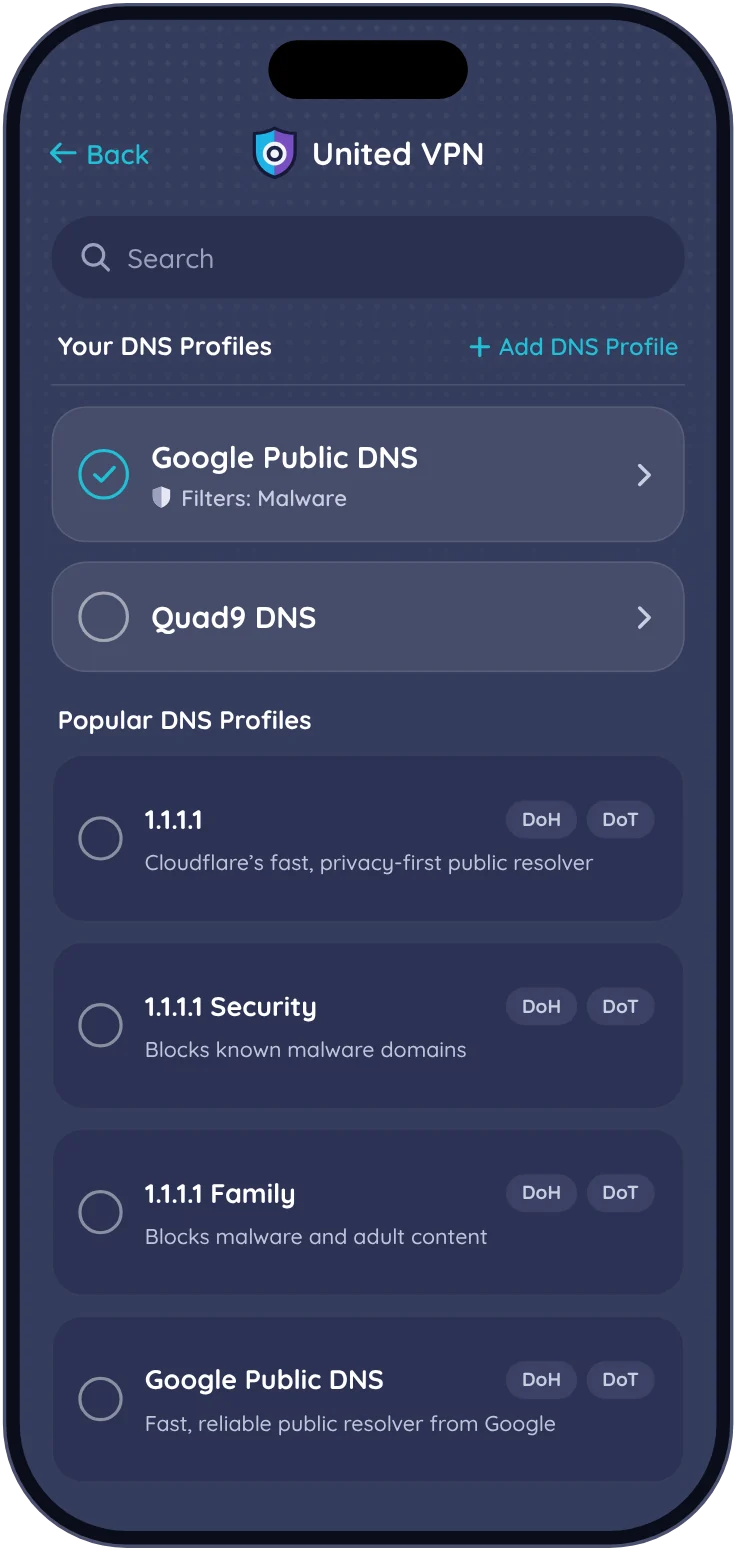
13 ready-made profiles: Google, Cloudflare, Quad9, CleanBrowsing, AdGuard, Control D and Wikimedia DNS. Add your own with IPv4 and IPv6.

DNS profiles
Free

Game Boost

Switches your phone to Google Public DNS in one tap. Only DNS lookups change; game traffic goes direct, not through a VPN server.

Free

Private browser

Tabs, DuckDuckGo search and its own ad blocker. Offers to connect the VPN before it opens a site.

Free

Speed test

Download, upload, ping, jitter and packet loss on Speedtest by Ookla servers. Your test history stays on the phone.

Free

DNS leak test

Checks that the DNS profile you picked is the one your phone is really using.
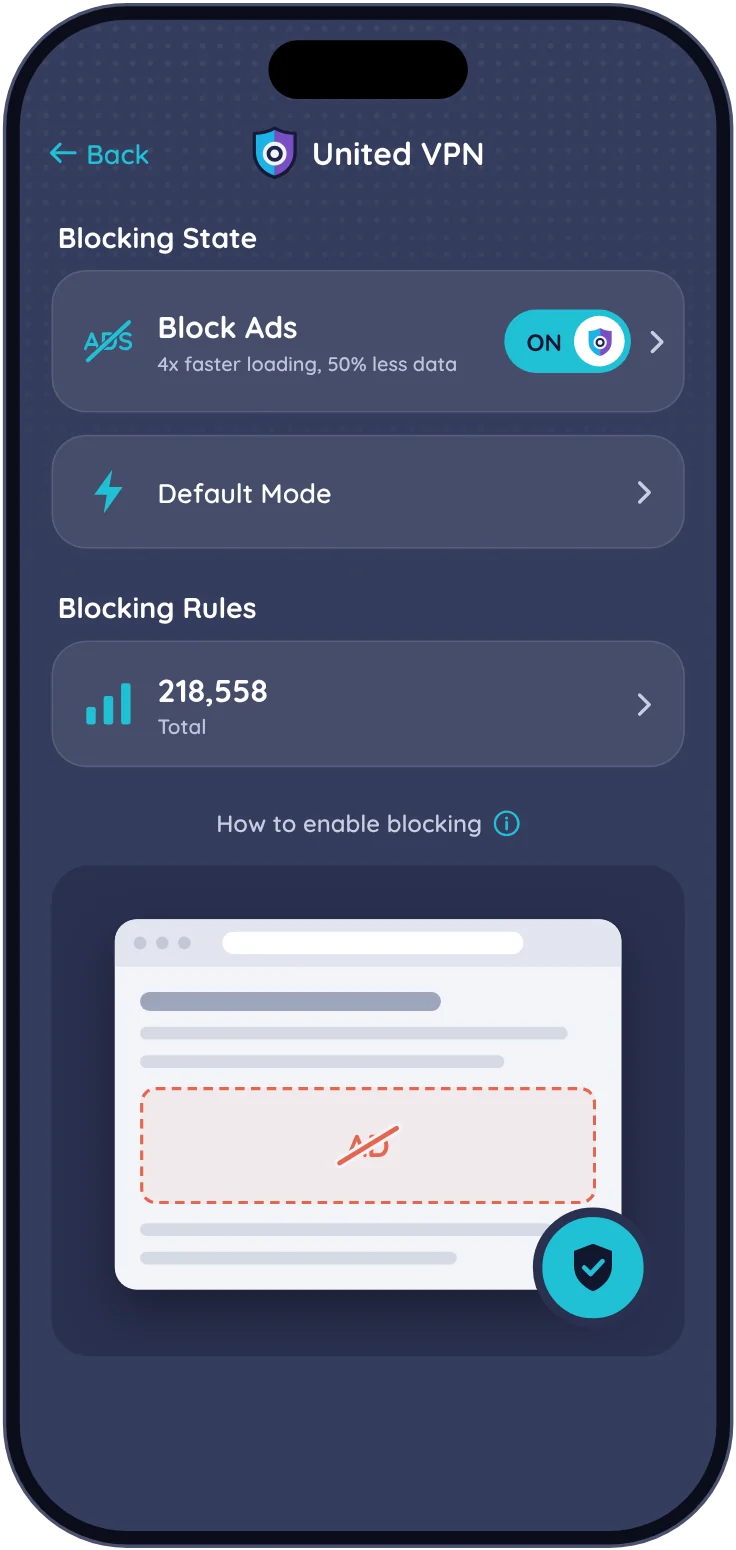
Block Ads screen in United VPN on iPhone

Ad blocker

Block ads in Safari for free, or in every app with Premium

The Safari blocker is built on EasyList and EasyPrivacy. Block in All Apps filters ad and tracker domains for every app, right on your iPhone. Your browsing isn’t sent to us.
  • Free: ads, trackers, crypto-mining and anti-adblock walls in Safari
  • Premium: about 33,000 ad and 43,000 tracker domains blocked in all apps
  • See Recently Blocked, allow a site in one tap or pause for 10 minutes
About the ad blocker
DNS profiles in United VPN: Google Public DNS, Quad9, Cloudflare

DNS and Child Control

Choose who answers your DNS lookups

In DNS mode only lookups go through a small tunnel on your phone; the rest of your traffic goes direct. Pick a public resolver or a filtered one.

  • 13 profiles: Google, Cloudflare, Quad9, CleanBrowsing, AdGuard, Control D, Wikimedia
  • Child Control: AdGuard Family Protection blocks adult sites
  • Add your own profile with IPv4 and IPv6 servers

How it works

Protected in under a minute

  1. 1

    Install United VPN

    Free on the App Store and Google Play. No account or sign-up.

  2. 2

    Allow the VPN configuration

    Your phone asks once. The VPN, DNS modes and ad blocking all use this one profile.

  3. 3

    Tap connect

    Keep Optimal Location to get the fastest free server, or pick a country. The VPN stays on when the screen is off.

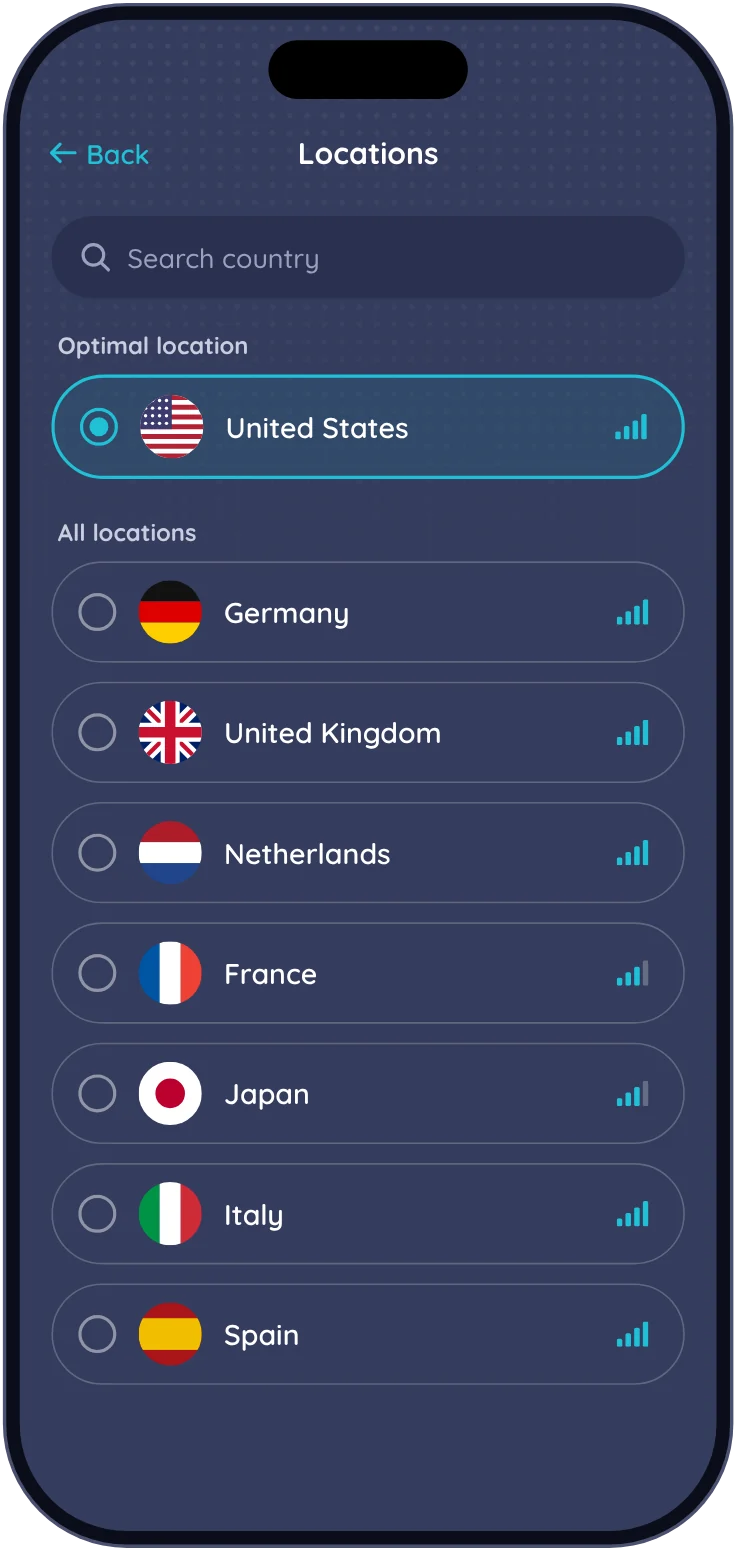
Server locations list in United VPN with Optimal location selected

Facts

United VPN at a glance

Short, checkable answers to what people ask before they install. We update this list with every release.

Updated
What it is
A VPN app with an ad blocker for Safari and all apps, parental controls, a DNS changer, a private browser and a speed test
Platforms
iPhone and iPad (iOS 15 or later), Android (7.0 or later)
Account
Not needed. The app doesn’t ask for your name, email or phone number
Price
Free with ads. Premium: $2.99 a week or $49.99 a year (US App Store), with a 3-day free trial. See pricing
Server locations
Free: United States, United Kingdom, Canada, Brazil and Switzerland. Premium: 120+ countries
VPN protocol
OpenVPN 3 over UDP (Fast mode) or TCP (Safe mode). WireGuard is planned
Encryption
AES-256-GCM for traffic, TLS 1.2 with ECDHE on the control channel. Real connection log
DNS
All DNS lookups go through the VPN tunnel
Logs
VPN servers keep no activity or connection logs. What we store
Publisher
Cheese Quake LLC, Kyiv, Ukraine. On Google Play the developer account is named Unity VPN. About us

FAQ

Questions before you install

Is United VPN free?
Yes. The free version shows ads and includes the VPN with servers in the US, UK, Canada, Brazil and Switzerland, the Safari ad blocker, Child Control, Game Boost, the private browser and the speed test. Premium removes ads and adds servers in 120+ countries, ad blocking in all apps and every DNS profile for $2.99 a week or $49.99 a year in the US, after a 3-day free trial. Compare plans.
Do I need an account?
No. United VPN works right after you install it and never asks for your name, email or phone number.
Is United VPN safe?
United VPN uses OpenVPN with AES-256-GCM encryption, keeps all DNS lookups inside the tunnel and doesn’t log your activity. See a real connection log and what the app stores on our facts page.
Who owns United VPN?
United VPN is published by Cheese Quake LLC, a company based in Kyiv, Ukraine. Company details are on the About page.
Does United VPN keep logs?
No. United VPN servers don’t log the sites you visit, your DNS queries, your IP address, connection times or how much data you use. The app sends crash reports, and usage analytics only if you turn on Share Usage Data. Full list.
Can United VPN block ads in all apps?
Yes, with Premium. Block in All Apps filters ad and tracker domains for every app and browser on your iPhone. Filtering happens on the device, and the domains you visit aren’t sent to us. How it works.
Does United VPN work on iPad?
Yes. The App Store version runs on iPhone and iPad with the same subscription.
How do I cancel Premium?
Cancel in your App Store or Google Play subscriptions. Deleting the app doesn’t cancel the subscription. Step-by-step.

Free tools

Check your connection

All tools
What is my IPSee the IP address and location websites see.
DNS leak testCheck that DNS lookups go through the VPN.Coming soon
WebRTC leak testFind out if your browser exposes your real IP.Coming soon
Ad block testCheck which ads and trackers get through.Coming soon

Guides

Tested on real phones

All guides
Ad blocking How to block ads on iPhone in 2026 Updated Oct 2026 · 6 min read
VPN on iPhone How to set up a VPN on iPhone, step by stepComing soon
Public Wi-Fi Is hotel Wi-Fi safe? What to check before you connectComing soon

Get United VPN

Free on iPhone, iPad and Android. Premium from $2.99 a week.